Help center → October 29, 2026 · 5 min read
How to list your charter business on Tourist.com for free (and add a Book online button)
List your boat charter on Tourist.com for free, then paste your Charterfy booking link to add a Book online button. Tourist.com takes no commission.
- Marketing
- Getting bookings
- Integrations
Travelers search for things to do before they ever search for your name. Tourist.com is a free travel directory where your charter can show up, with a Book online button that sends guests straight to your Charterfy booking page.
Tourist.com takes no commission and never handles the payment. Setup takes about 10 minutes.
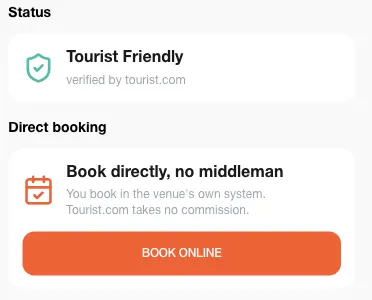
Why list on Tourist.com
- It's free. Tourist.com doesn't charge businesses or take a cut of bookings.
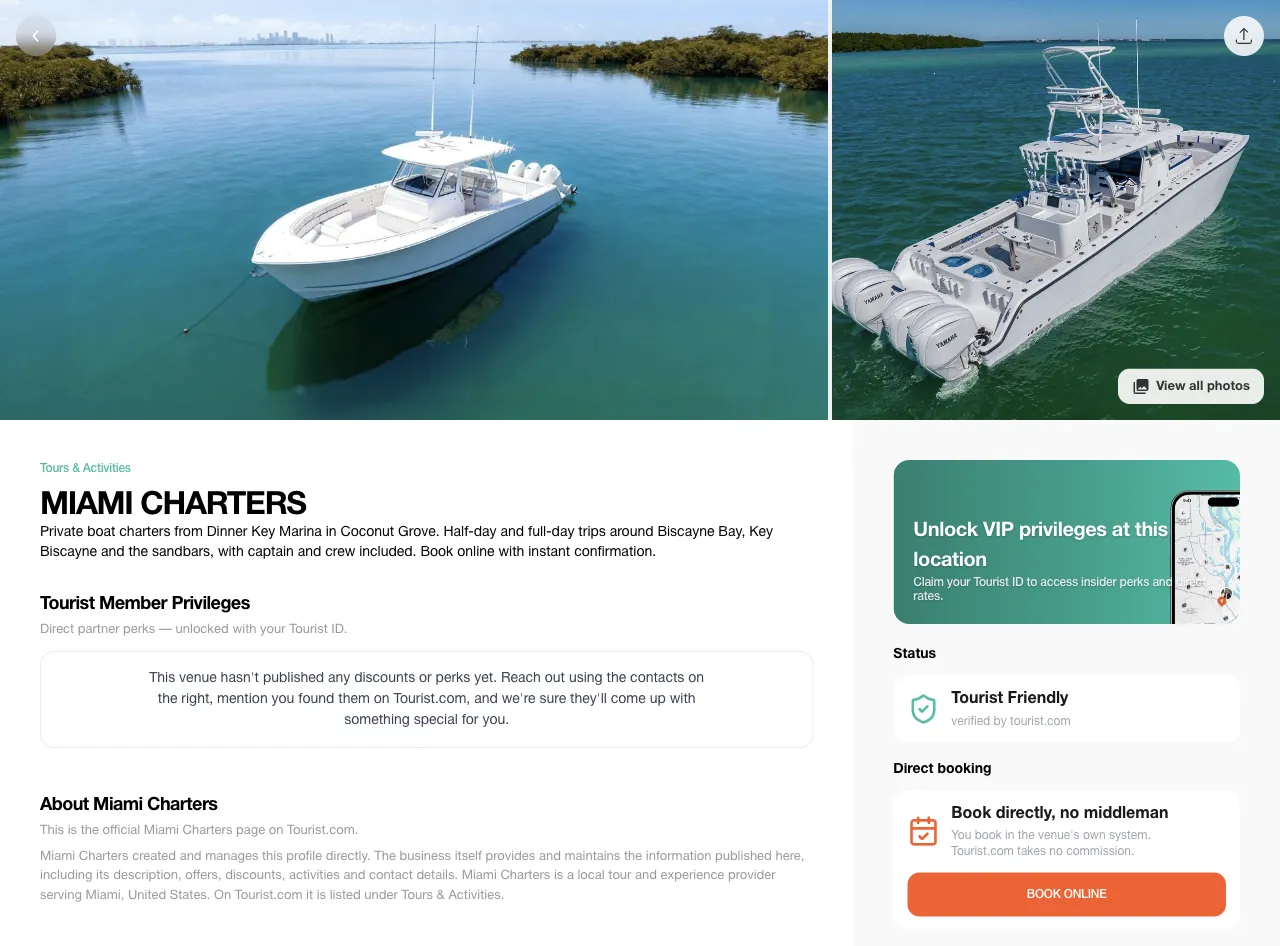
- You get a public page. Photos, description, contacts, a map pin and your hours, in a travel directory that's also in the Tourist app.
- Guests book with you. The Book online button opens your booking page in a new tab. Payment, deposit and waiver all happen in your Charterfy account.
- One more link to your booking page. A trusted travel page pointing at your own booking site, not at a marketplace.
Step by step
1. Create your free Tourist.com listing
Go to partners.tourist.com and click Sign up (Google login or email and password). This is a separate account from the traveler one.
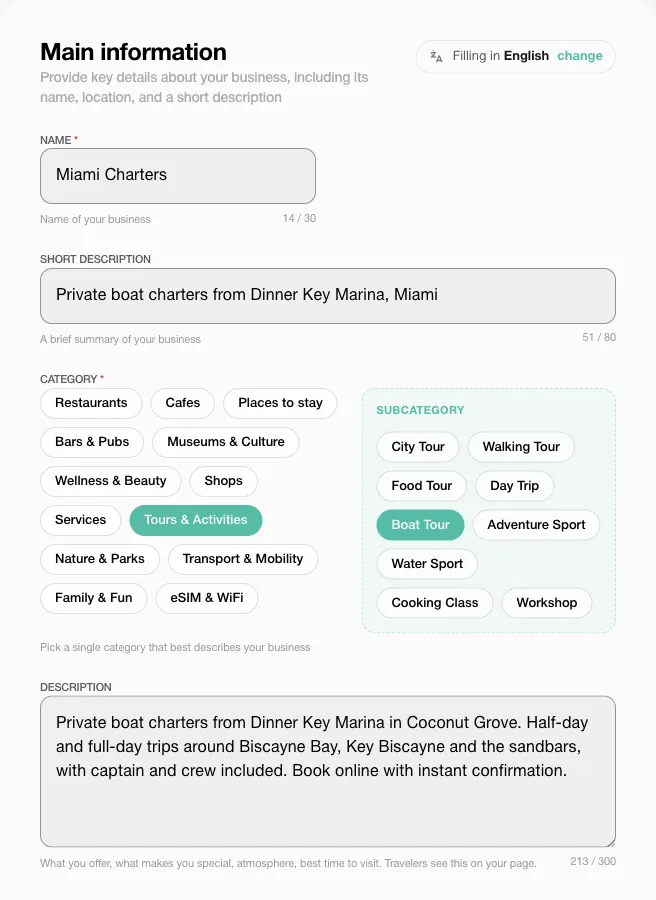
Add your business: name, category (Tours & Activities is usually the best fit), country, city and a short description.
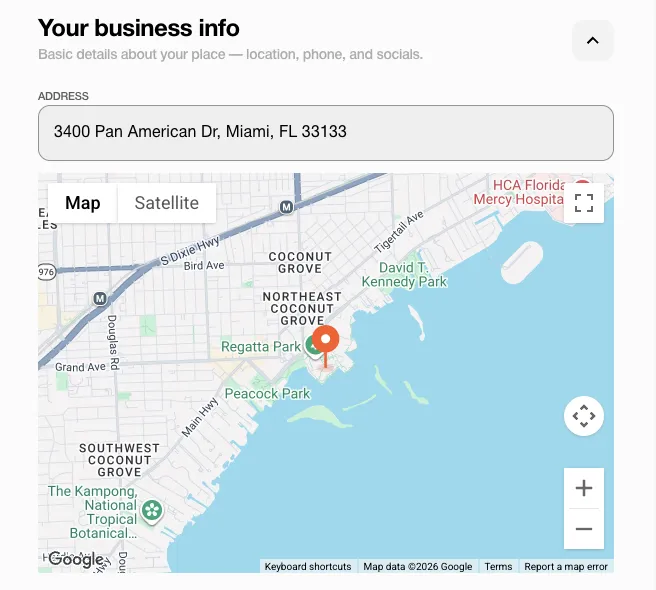
Drag the map pin onto your departure dock or marina, not your office. Travelers find you by map location.
Add your photos, then hit Create. Tourist.com reviews new listings by hand before they go live, and you'll get an email when yours is approved.
Already on Tourist.com? Search your name and click Claim this business. They'll send you a verification code.
2. Copy your Charterfy booking link
Every Charterfy account has a public booking page. In Charterfy, open your booking page and copy its address. It looks like this:
https://<yourbusiness>.sites.charterfy.com/book
Quick check: open it in a private browser window. If you see your trips and availability without logging in, it's the right link.
3. Paste it into Tourist.com
In the Tourist.com partner dashboard, open your business. Click the Direct booking tab. Paste your link into Booking link and press Update.
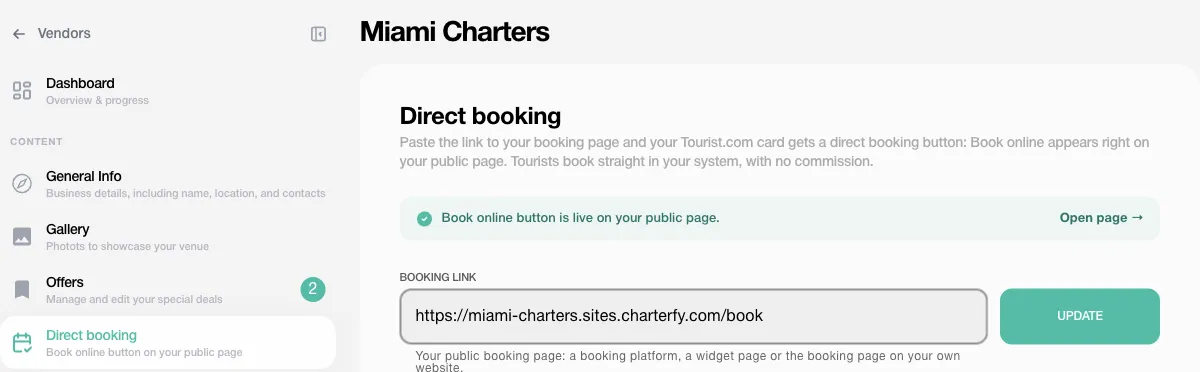
The Book online button appears on your public page within about a minute. There's no moderation of the link and nothing to install. Tourist.com explains the button on its how it works page.
4. Test it
Open your page on tourist.com, tap Book online, and check you land on your Charterfy booking page with the right trips and prices. Make a test booking if you like, then cancel it.
Tips to get more bookings
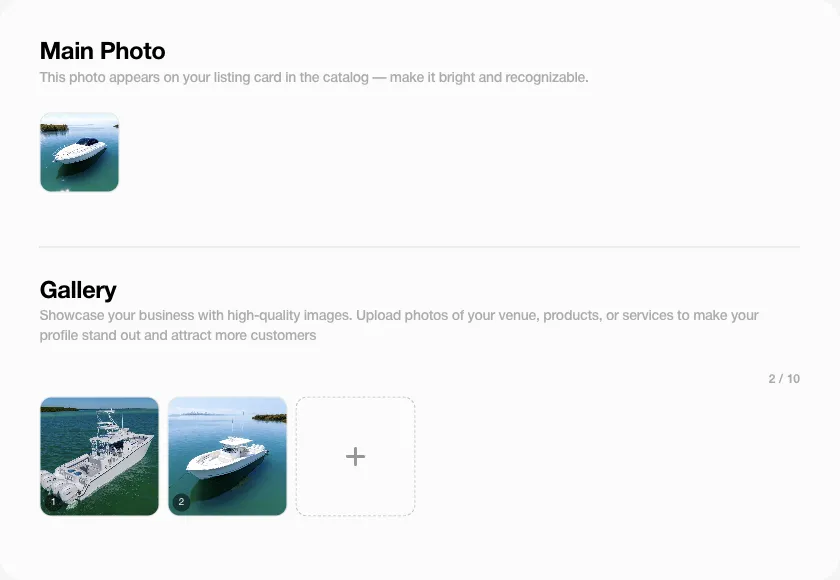
- Lead with a great photo. Boat on the water, golden hour, happy guests. Use 4–6 photos.
- Be specific in your description. Boat type, capacity, trip length, where you depart.
- Keep your prices the same as on your own site. Guests compare.
- Keep availability current in Charterfy. The button shows whatever your booking page shows.
- Re-check the link if you ever change your Charterfy site address.
FAQ
What does it cost? Listing on Tourist.com is free. Charterfy is priced separately: $99/month, or 4% per booking, with the booking page included in both. Tourist.com doesn't add any fee.
Does Tourist.com take a commission? No. Guests book and pay on your Charterfy page.
Who handles payment and waivers? Charterfy does. Deposits and payments run through your own Stripe account, and guests get their waiver after booking, like any other Charterfy booking.
Where do the bookings show up? In Reservations in Charterfy, like every other booking.
Does the button show in the Tourist app? Right now it's on the tourist.com web page. Tourist.com says the iOS and Android apps will get it later.
Can I remove it later? Yes. Delete the link in the Direct booking tab and the button disappears.
Ready to take direct bookings?
Charterfy gives you a booking page, deposits, payments and waivers in one place. $99/month, or 4% per booking. Every feature included in both.
Start with Charterfy →Charterfy is listed in the Tourist.com directory of booking software.